


 Contact us
Your EV charging journey, simplified with Tata Power EZ CHARGE


Introduction
Driving an EV may be straightforward. Pulling up at a public charger can still leave you with one very practical question: What do I do first? And that is not just a first-time EV owner problem. A different charger, connector or app can make even a familiar charging stop feel slightly unfamiliar.
That is exactly what this guide clears up. Using the Tata Power EZ CHARGE app, we take you through the complete charging journey, from choosing the right connector and setting your charge to starting and ending the session, so you know what to do when it is time to plug in and power up your EV.
The EZ CHARGE app brings the key stages of EV charging into one connected journey. From choosing the right connector to completing your session, here’s how it works.
1. Getting the charging port ready
Start by uncovering your EV’s charging port. Then, unplug the charging gun from the EZ CHARGE point so it is ready to connect once you have completed the required steps on the app.
2. Check that the connector matches your EV
Before proceeding, check that the charging connector is compatible with your EV. Confirming compatibility before plugging in helps ensure you select the right connector for your vehicle and charging session.
3. Find the EZ CHARGE point in the app
Open the Tata Power EZ CHARGE app and select the EZ CHARGE point you are using. You can also scan the QR code available on the charging point to access its details directly on the app.
4. Choose your connector and check the tariff
Select an available connector on the app. Before moving ahead, check the connector type and the applicable charging tariff displayed below the connector name.
5. Set how much you want to charge
You can start a new charging session or repeat your previous session. For a new session, enter either the amount in INR or the number of units in kWh you want to charge. Select ‘Estimate’, and the app will show the estimated charging amount and number of units based on your input. Do not click on ‘Yes, proceed’ just yet.
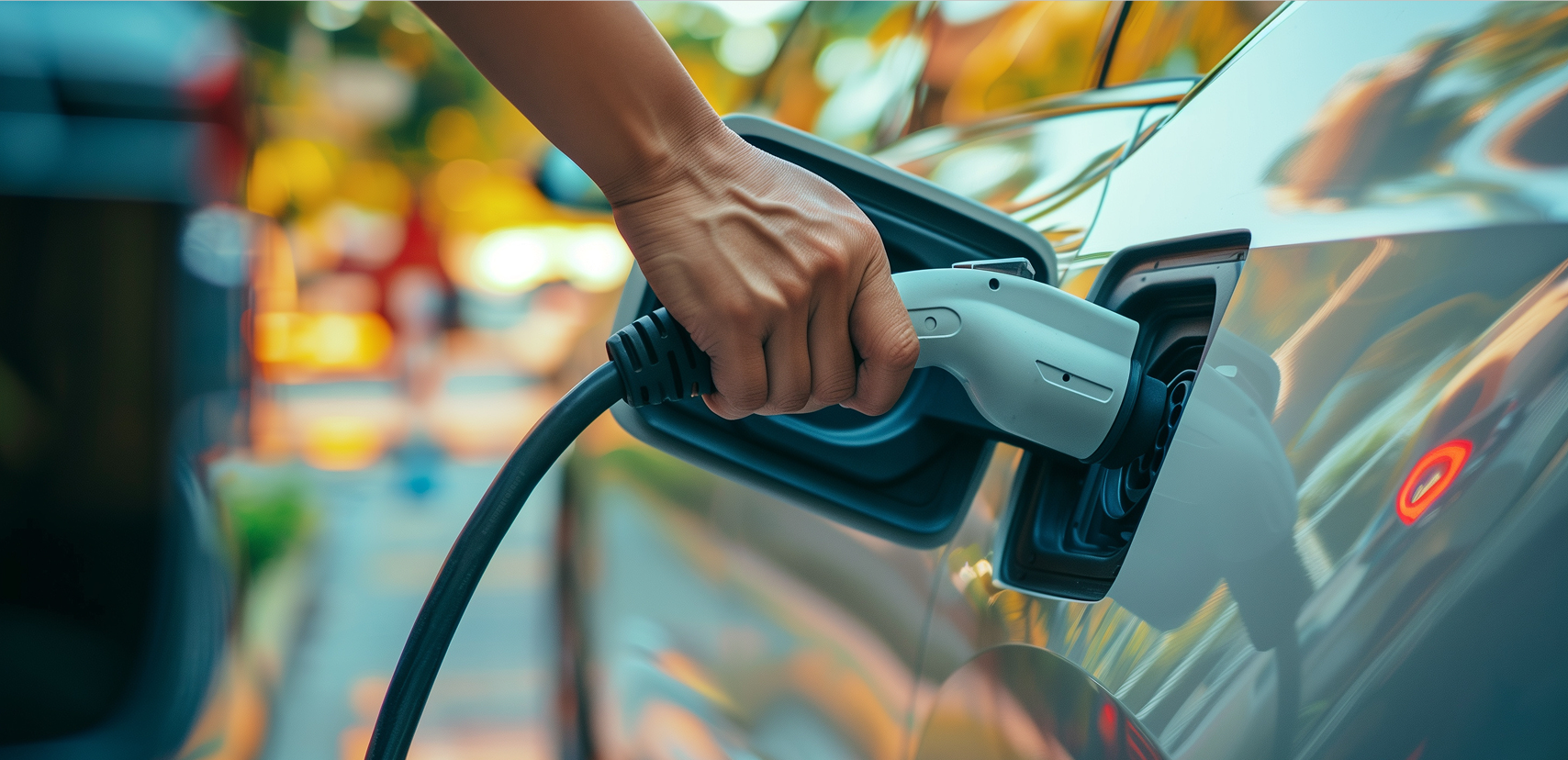
6. Plug in and proceed
Connect the charging gun securely to your EV, and then tap ‘Yes proceed’ within 45 seconds of connecting your EV to the charger.
7. Let the charging begin
That is it. Your EV is now charging.
Once the amount or number of units selected for the session is reached, charging will stop automatically. This means you do not have to manually monitor the session until your selected charging target is completed.
8. Want to stop earlier? You can!
Plans change, and your charging session can too. If you want to end the session before the selected amount or units are reached, simply tap ‘Stop charging’ on the EZ CHARGE app.
For additional guidance on charging sessions, you can refer to the FAQs available under the app’s Help & Support section.
9. Unplug, return the gun, and drive away
Once charging is complete, unplug the charging gun from your EV and place it securely back into the socket on the EZ CHARGE point.
Your battery has what it needs. Your charging stop is officially done. Time to get back on the road.
10. Need help? Support is available 24x7
If you have a query or face an issue while using EZ CHARGE, contact the support team at 1800 833 2233 or email evsupport@tatapower.com.
Scratch. Reveal. Learn
A small swipe. A big reveal.
Bottomline
The interesting part of EV charging is not just the satisfaction in watching the SoC (State of charge) go up. It is also the choreography around it. A charger, a connector, an app, and a battery all have to speak the same language before the journey can move again. That is where the EZ CHARGE app earns its place: not by making charging feel futuristic, but by making it feel understandable. Once the sequence becomes familiar, the technology fades into the background, and the driver stays in control. Perhaps that is the shift with EVs: charging is no longer a technical task. It is simply another part of driving.

Got an EV charging requirement? Let’s solve it.
Frequently asked questions
The frequently asked questions section is a reliable source for unlocking answers to some of the most crucial inquiries. Please refer to this section for any queries you may have.
- Solaroof
EV charging time depends on the battery size, charger capacity, vehicle charging capability, and existing battery level. A DC fast charger can typically charge many EVs to around 80% in approximately 30–60 minutes. Public AC charging generally takes longer, depending on the charger and vehicle. Charging may also slow down as the battery approaches 80%, helping manage battery temperature and charging performance.
Yes. The EZ CHARGE app’s Trip Planner can help map your journey and identify compatible charging stations along the route. You can compare route options, find suitable charging stops, and filter chargers based on factors such as connector type and availability. This makes it easier to plan charging breaks before setting out, particularly when travelling on unfamiliar routes or covering longer distances in an EV.
Open the Tata Power EZ CHARGE app and use the charger map to find stations near you or along your route. Filter the results by your EV’s connector type and preferred charging speed. Review the station details and confirm that the available connector is compatible with your vehicle before selecting a charging point.
Yes. The EZ CHARGE app shows the current status of charging points, including whether a charger is available, in use, or inactive. The app’s Trip Planner can also help filter charging stations based on availability and connector compatibility. Checking these details before reaching a station can help you choose a suitable charging point and reduce the chances of arriving at a charger that is already occupied.
Auto Charge enables charging to begin automatically when a registered EV is connected to a compatible DC charger. Once the vehicle is linked to the app and auto charge is enabled on it, the charging session can start without requiring manual authentication through the app each time. This simplifies the charging experience by reducing the number of actions needed before a session begins and is available across a majority of compatible DC chargers.
Fast charging is useful when you need to recharge quickly, especially during longer journeys. However, charging speed generally reduces as the battery moves beyond 80%. For regular daily use, slower or moderate charging can be more suitable when time permits, while DC fast charging works well for quick top-ups and travel. Charging performance and battery behavior can vary by vehicle, battery size, temperature, and charger capacity.
Sources
1. Steps To Charge EV On Tata Power EZ Charge App – YouTube
2. Tata Power EZ CHARGE
3. Tata Power’s EZ CHARGE app gets new smart EV charging features
Keep reading...
View all